ai
Stop Losing Hours to Search: How Knowledge Orchestration Cuts Time Wasted Across Systems

If your teams spend 10 minutes finding an answer and do that 20 times a day, you are already burning more than 3 hours per person each week. At enterprise scale, that turns into thousands of lost hours a year.
That time does not show up as a line item. It shows up as slower decisions, duplicated work, stale answers, and engineers re-solving problems someone else already solved. For technical leaders, the real cost is not just search. It is the friction created when knowledge is scattered across Jira, Confluence, SharePoint, Slack, Google Drive, ticketing systems, code repos, and tribal memory.
Knowledge orchestration is how teams fix that.
It does not mean creating another repository. It means connecting systems, indexing context, and delivering the right answer in the right place, with enough confidence that people can act without switching tools five times.
The hidden tax of searching across systems
Most enterprise teams do not have a knowledge problem because they lack information. They have a knowledge access problem.
A typical workflow looks like this:
- An engineer checks Slack for a thread.
- The answer is not there, so they search Confluence.
- They find an outdated page.
- They open Jira to confirm the ticket status.
- They dig into a shared drive for a PDF.
- They ask in Slack again because the source of truth is unclear.
Multiply that by every support issue, incident, onboarding task, architecture decision, and operational question.
Even a conservative estimate makes the problem obvious:
- 15 minutes lost per person per day searching
- 200 knowledge workers
- 220 working days per year
That is 11,000 hours annually, or the equivalent of more than five full-time employees doing nothing but hunting for information.
And that is the low end. In engineering-heavy organizations, the number is often higher because the questions are more technical, the systems are more fragmented, and the stakes are greater.
The deeper cost is not just time. It is error rate. When people cannot quickly find trusted context, they make decisions with partial information. That creates rework, escalations, and avoidable risk.
Why traditional search fails in enterprise environments
Search works when the problem is simple: one corpus, one taxonomy, one owner, one source of truth.
Enterprise knowledge does not look like that.
It is distributed across systems with different data models, permissions, update cycles, and terminology. The same concept may be described differently in product docs, engineering tickets, incident notes, and customer support records.
Traditional enterprise search struggles for a few reasons:
1. It indexes content, not context
Finding a document is not the same as finding the answer. A useful response often depends on metadata, role, recency, relationships, and business process state.
2. It ignores system boundaries
Important knowledge lives in operational systems, not just document repositories. If your search layer cannot connect across structured and unstructured sources, it misses critical context.
3. It does not resolve freshness
A page from last quarter may be obsolete. A Slack thread may contain the real answer, but only if you know where to look. Without recency awareness, search returns content that looks relevant and is functionally wrong.
4. It does not understand permissions
If users see too much, security becomes a problem. If they see too little, the system is useless. Enterprise knowledge access has to respect identity, role, and source-level controls.
5. It stops at retrieval
Even when search finds the right artifact, the user still has to read, interpret, and synthesize it. That is where time gets lost.
This is why “better search” usually does not solve the problem. Teams need knowledge orchestration.
What knowledge orchestration actually does
Knowledge orchestration is the layer that connects fragmented systems, normalizes meaning, and delivers usable answers in workflow.
In practice, it does four things:
1. Ingests knowledge from multiple systems
It pulls from the tools where work already happens: tickets, docs, chats, wikis, storage, knowledge bases, and operational platforms.
2. Organizes knowledge around business intent
Instead of treating every file or message as equal, it links content to entities, processes, teams, and use cases. That makes retrieval more accurate and more useful.
3. Delivers answers in the right channel
The best answer is the one people get without leaving their work environment. That may mean inside Slack, a portal, a support console, a dashboard, or an internal app.
4. Preserves governance and trust
Enterprise-grade orchestration must keep permissions intact, trace every answer back to sources, and make freshness visible. If users cannot trust the output, adoption collapses.
This is the difference between a search box and an operational knowledge system.
Where the gains show up first
The biggest returns usually appear in places where time-to-answer directly impacts cost, cycle time, or customer experience.
Engineering support
When developers need answers about platform behavior, APIs, deployment standards, or internal tooling, they should not have to bounce between docs and chat history. Orchestration can surface the right runbook, prior incident resolution, or architecture decision in seconds.
A 20-minute average reduction per support request becomes significant fast. If a team handles 50 internal support requests a week, that is more than 16 hours saved weekly.
Operations and incident response
During incidents, speed matters. Teams need the latest runbooks, past postmortems, service ownership, and dependency context immediately. Searching multiple systems during an outage is expensive and distracting.
If knowledge orchestration cuts just 5 minutes from every incident-related lookup, the impact compounds across response time, escalation time, and mean time to resolution.
Onboarding
New hires ask the same questions repeatedly because the answers exist in too many places. Orchestration gives them a clearer path to trusted answers, which reduces ramp time and protects senior engineers from constant interruption.
A 2-week reduction in ramp for a technical hire can easily outweigh the cost of implementing the system.
Customer-facing teams
Support, success, and solutions engineers need accurate, current answers under pressure. If they can find the right information instantly, they resolve issues faster and avoid escalation. That improves SLA performance and lowers burnout.
The measurable business case
The business case is straightforward.
If knowledge orchestration reduces search time by just 30% across a 500-person technical organization, and each person saves 30 minutes per week, you recover:
- 250 hours per week
- 13,000 hours per year
- significant capacity without adding headcount
At a loaded labor cost of $100 per hour, that is $1.3 million in annual productivity recovered. Even if your numbers are half that, the case still holds.
But the financial upside is only part of the story. The strategic gain is better execution:
- Faster decision-making
- Fewer duplicated efforts
- Lower support load
- Better incident response
- Cleaner onboarding
- More reliable institutional memory
That is why this problem matters to CTOs, VPs of Engineering, and VPs of Operations. It is not about content management. It is about operational throughput.
What to look for in a knowledge orchestration approach
If you are evaluating how to reduce search friction across systems, focus on these requirements:
- Cross-system connectivity: It should work across the tools your teams already use.
- Permission-aware access: Users should only see what they are allowed to see.
- Freshness and provenance: Answers should show where the information came from and how current it is.
- Workflow integration: Knowledge should appear where work happens, not in a separate silo.
- Semantic understanding: The system should understand related concepts, not just exact keywords.
- Operational governance: You need visibility into what is being used, what is missing, and where knowledge gaps remain.
If a platform only indexes documents, it will not fix the root problem.
The real goal: less searching, more doing
The point of knowledge orchestration is not to make search prettier. It is to remove friction from execution.
Every minute an engineer spends looking for the right thread, document, or policy is a minute not spent building, fixing, shipping, or supporting customers. Across an enterprise, that adds up quickly.
The organizations that win are the ones that treat knowledge as an operational system, not a static library.
They connect systems. They preserve context. They reduce guesswork. They make answers available where decisions happen.
That is how you turn scattered information into usable knowledge.
Ready to reduce knowledge friction?
If your teams are wasting time searching across systems, Object Edge can help you design a knowledge orchestration approach that improves speed, trust, and operational efficiency.
Talk to Object Edge about building a system that gets the right answer to the right person, in the right workflow, without the search tax.
Related articles
-
ai
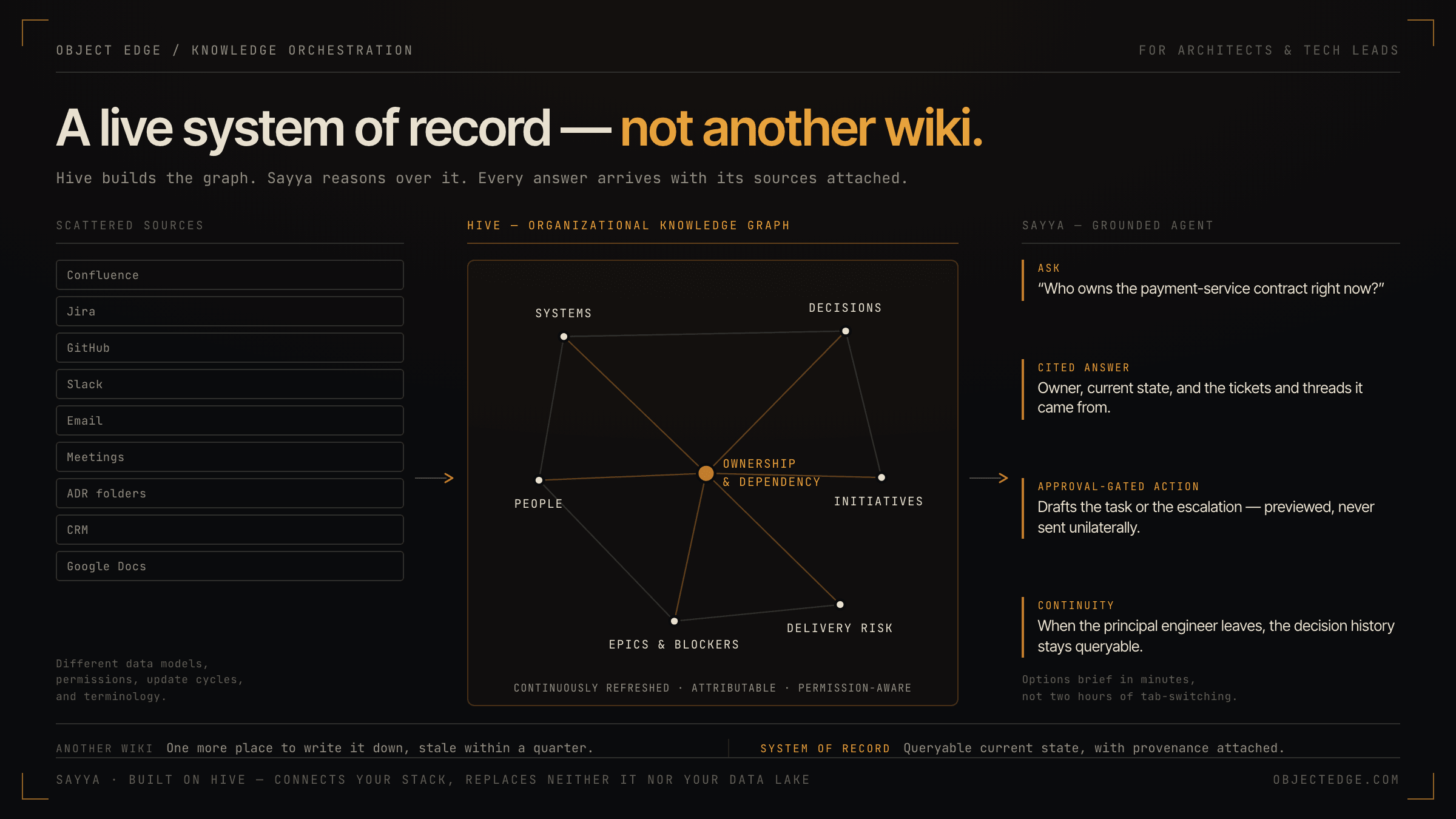
How Hive and Sayya give architects and tech leads a live system of record—not another wiki
Hive builds a continuously refreshed organizational knowledge graph; Sayya is the grounded agent that queries it. Together they give solution architects and tech leads the decision context, dependency visibility, and controlled AI actions that scattered docs and tribal knowledge never could.
-
ai
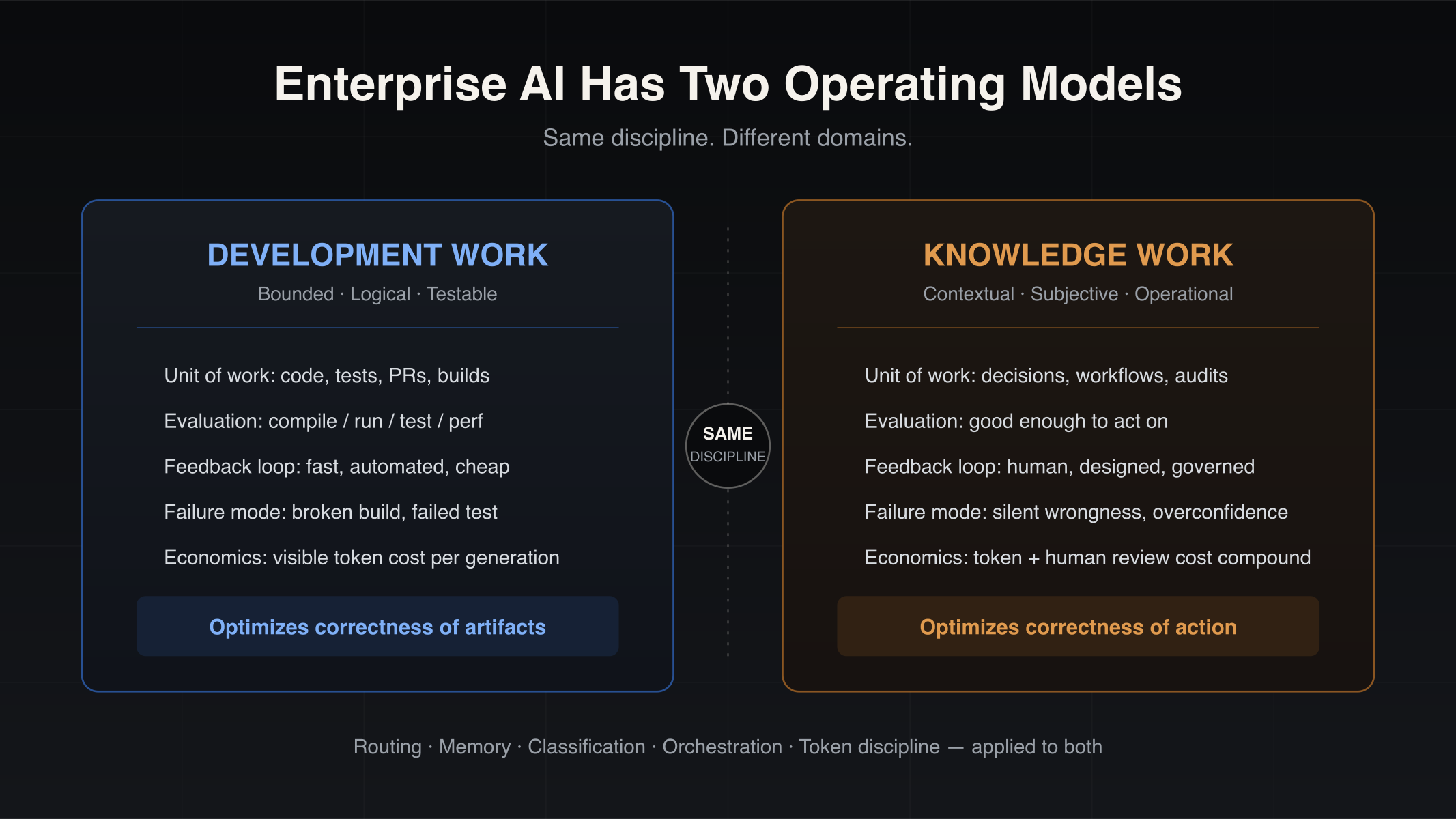
Enterprise AI Has Two Operating Models: Development Work and Knowledge Work
Enterprise AI is splitting into two operating models — development work and knowledge work. Why coding-copilot playbooks stall on operational workflows, and which engineering disciplines transfer.
-
ai
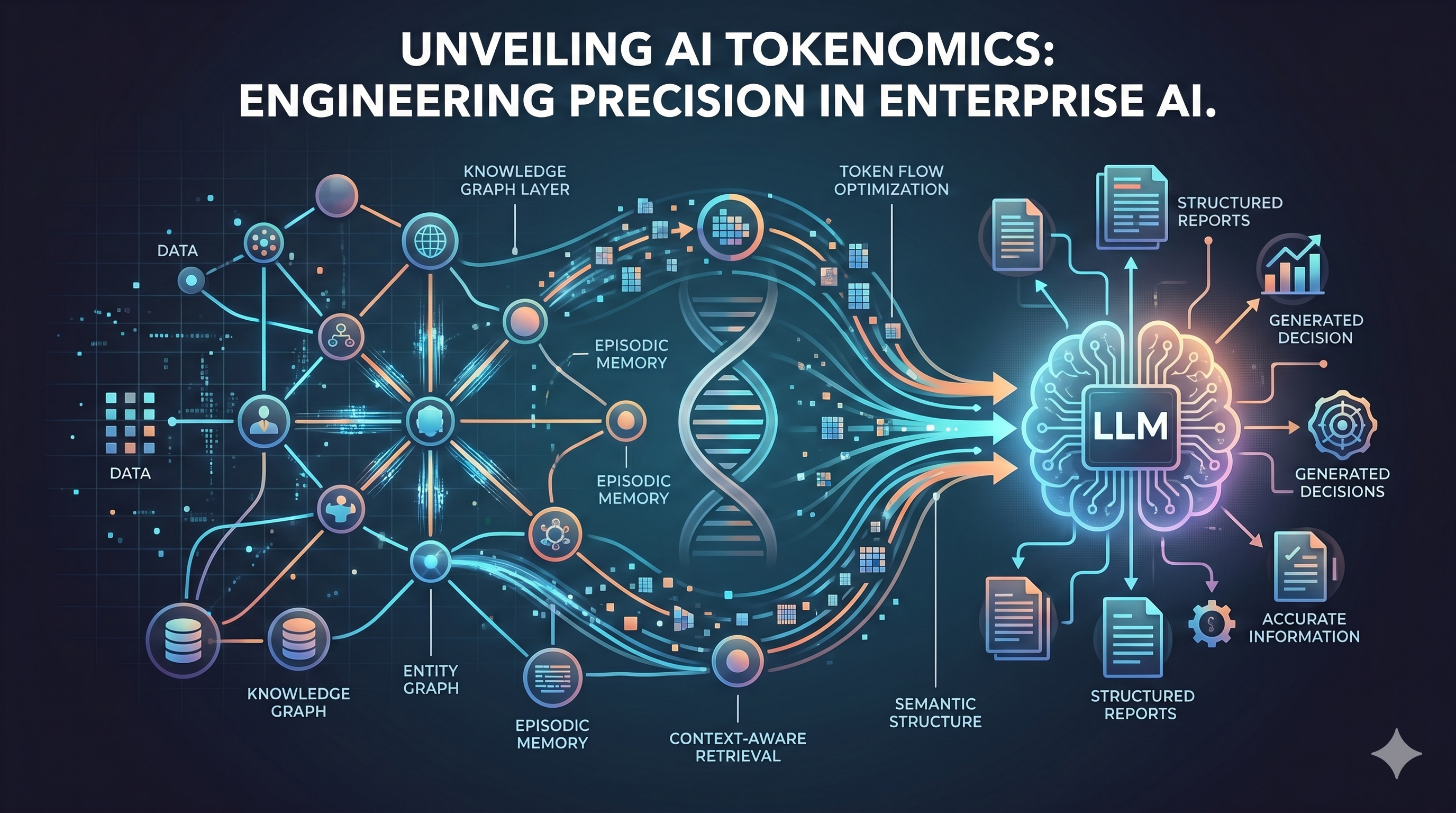
Tokenomics Is the New AI Efficiency Frontier — and Here's How We're Winning It
AI tokenomics is the discipline of managing token consumption at enterprise scale. Learn how semantic infrastructure, context-aware retrieval, and agent budgeting cut AI costs without sacrificing quality.